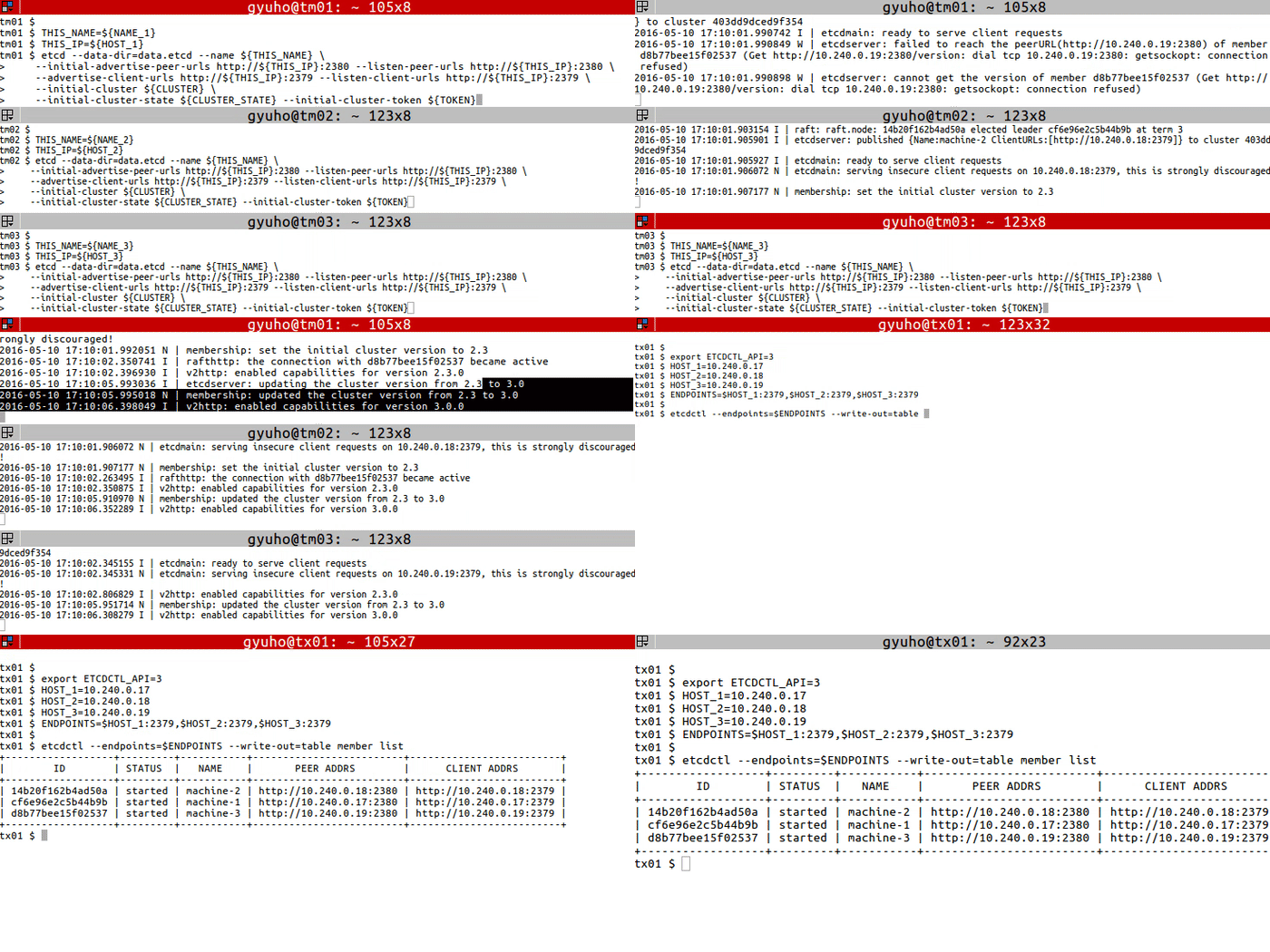
exportETCDCTL_API=3HOST_1=10.240.0.17
HOST_2=10.240.0.18
HOST_3=10.240.0.19
ENDPOINTS=$HOST_1:2379,$HOST_2:2379,$HOST_3:2379
etcdctl --endpoints=$ENDPOINTS member list
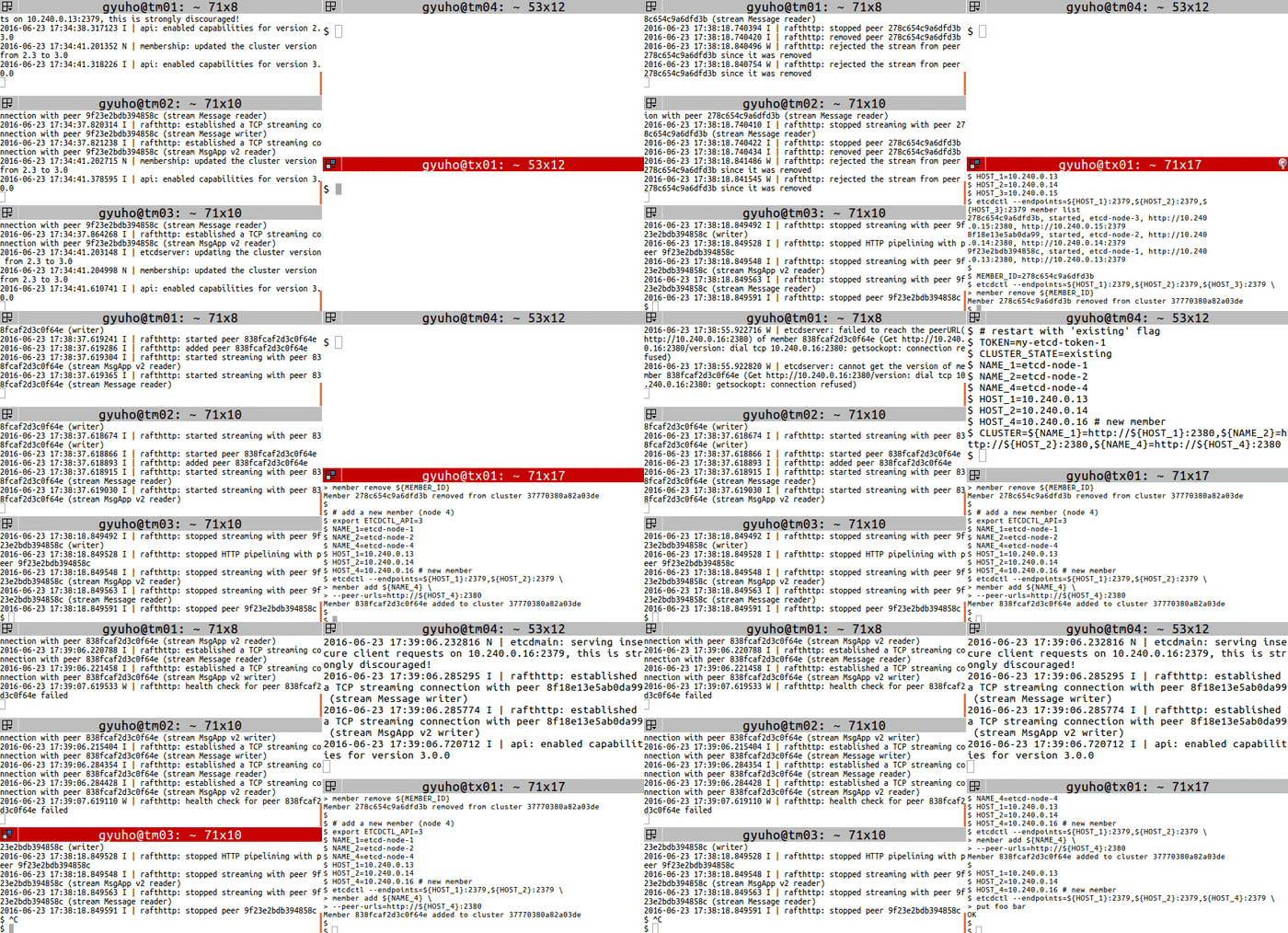
# get member IDexportETCDCTL_API=3HOST_1=10.240.0.13
HOST_2=10.240.0.14
HOST_3=10.240.0.15
etcdctl --endpoints=${HOST_1}:2379,${HOST_2}:2379,${HOST_3}:2379 member list
# remove the memberMEMBER_ID=278c654c9a6dfd3b
etcdctl --endpoints=${HOST_1}:2379,${HOST_2}:2379,${HOST_3}:2379 \
member remove ${MEMBER_ID}# add a new member (node 4)exportETCDCTL_API=3NAME_1=etcd-node-1
NAME_2=etcd-node-2
NAME_4=etcd-node-4
HOST_1=10.240.0.13
HOST_2=10.240.0.14
HOST_4=10.240.0.16 # new memberetcdctl --endpoints=${HOST_1}:2379,${HOST_2}:2379 \
member add ${NAME_4}\
--peer-urls=http://${HOST_4}:2380
# [WARNING] If the new member starts from the same disk space,# make sure to remove the data directory of the old member## restart with 'existing' flagTOKEN=my-etcd-token-1
CLUSTER_STATE=existing
NAME_1=etcd-node-1
NAME_2=etcd-node-2
NAME_4=etcd-node-4
HOST_1=10.240.0.13
HOST_2=10.240.0.14
HOST_4=10.240.0.16 # new memberCLUSTER=${NAME_1}=http://${HOST_1}:2380,${NAME_2}=http://${HOST_2}:2380,${NAME_4}=http://${HOST_4}:2380
THIS_NAME=${NAME_4}THIS_IP=${HOST_4}etcd --data-dir=data.etcd --name ${THIS_NAME}\
--initial-advertise-peer-urls http://${THIS_IP}:2380 \
--listen-peer-urls http://${THIS_IP}:2380 \
--advertise-client-urls http://${THIS_IP}:2379 \
--listen-client-urls http://${THIS_IP}:2379 \
--initial-cluster ${CLUSTER}\
--initial-cluster-state ${CLUSTER_STATE}\
--initial-cluster-token ${TOKEN}
2 - 開発者向けタスク
アプリケーションでetcdをキー・バリューストアとして使用する開発者向けの段階的なガイド。
2.1 - etcdからの読み取り
etcdクラスターの値を読み取る
前提条件
etcdctlをインストールします。
手順
getサブコマンドを使用して、etcdから読み取ります。
$ etcdctl --endpoints=$ENDPOINTS get foo
foo
Hello World!
$
各要素の意味は次のとおりです。
fooは要求したキーです。
Hello World!は取得した値です。
出力形式を指定する場合は、次のように実行します。
$ etcdctl --endpoints=$ENDPOINTS --write-out="json" get foo
{"header":{"cluster_id":289318470931837780,"member_id":14947050114012957595,"revision":3,"raft_term":4,
"kvs":[{"key":"Zm9v","create_revision":2,"mod_revision":3,"version":2,"value":"SGVsbG8gV29ybGQh"}]}}
$
$ etcdctl --endpoints=$ENDPOINTS get PREFIX --prefix
グローバルオプション
--endpoints=[127.0.0.1:2379], gRPC endpoints
オプション
--prefix, get a range of keys with matching prefix
例
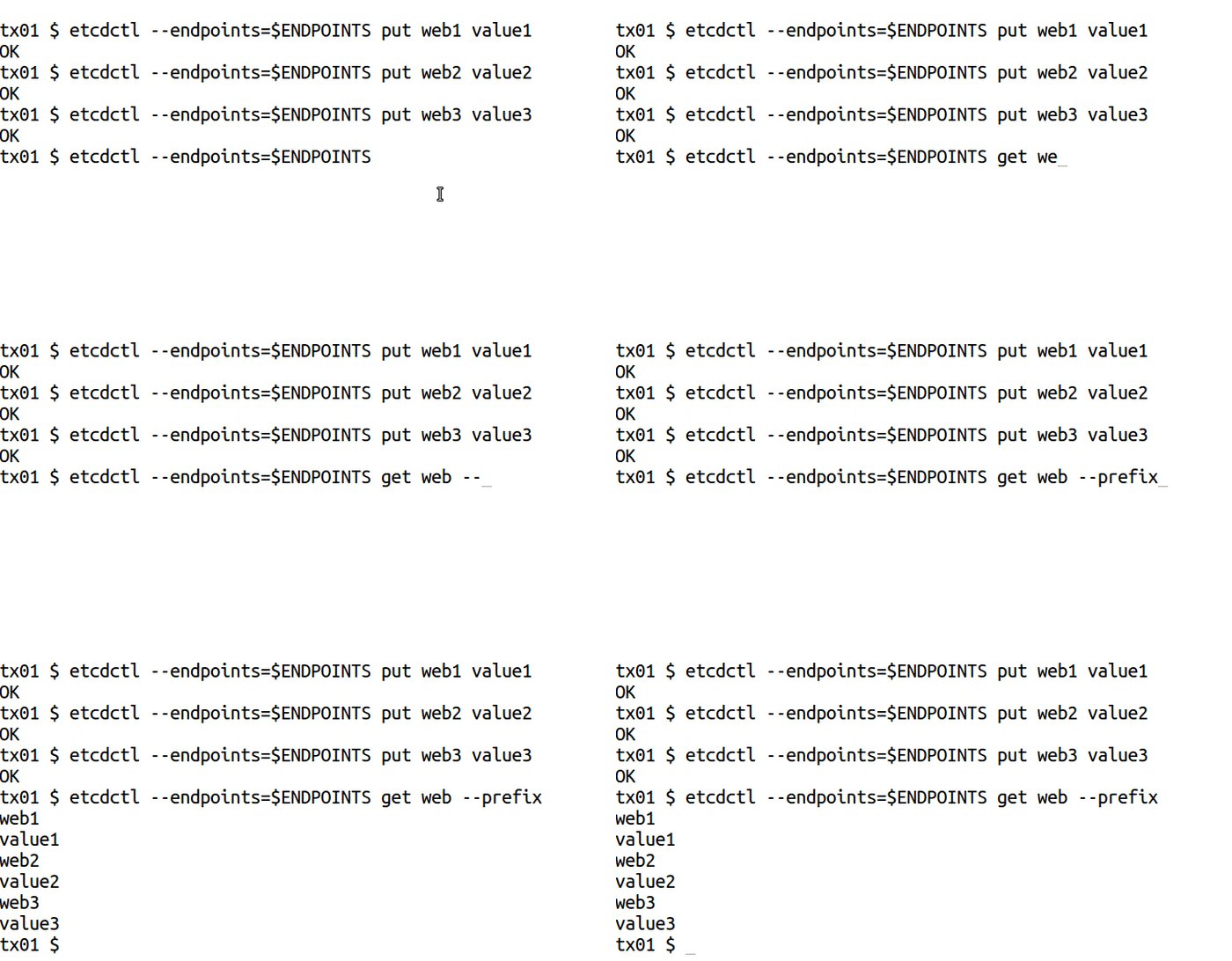
etcdctl --endpoints=$ENDPOINTS put web1 value1
etcdctl --endpoints=$ENDPOINTS put web2 value2
etcdctl --endpoints=$ENDPOINTS put web3 value3

etcdctl --endpoints=$ENDPOINTS get web --prefix
--prefix[=false]: delete keys with matching prefix
--prev-kv[=false]: return deleted key-value pairs
--from-key[=false]: delete keys that are greater than or equal to the given key using byte compare
--range[=false]: delete range of keys without delay
親コマンドから継承されるオプション
--endpoints="127.0.0.1:2379": gRPC endpoints
例
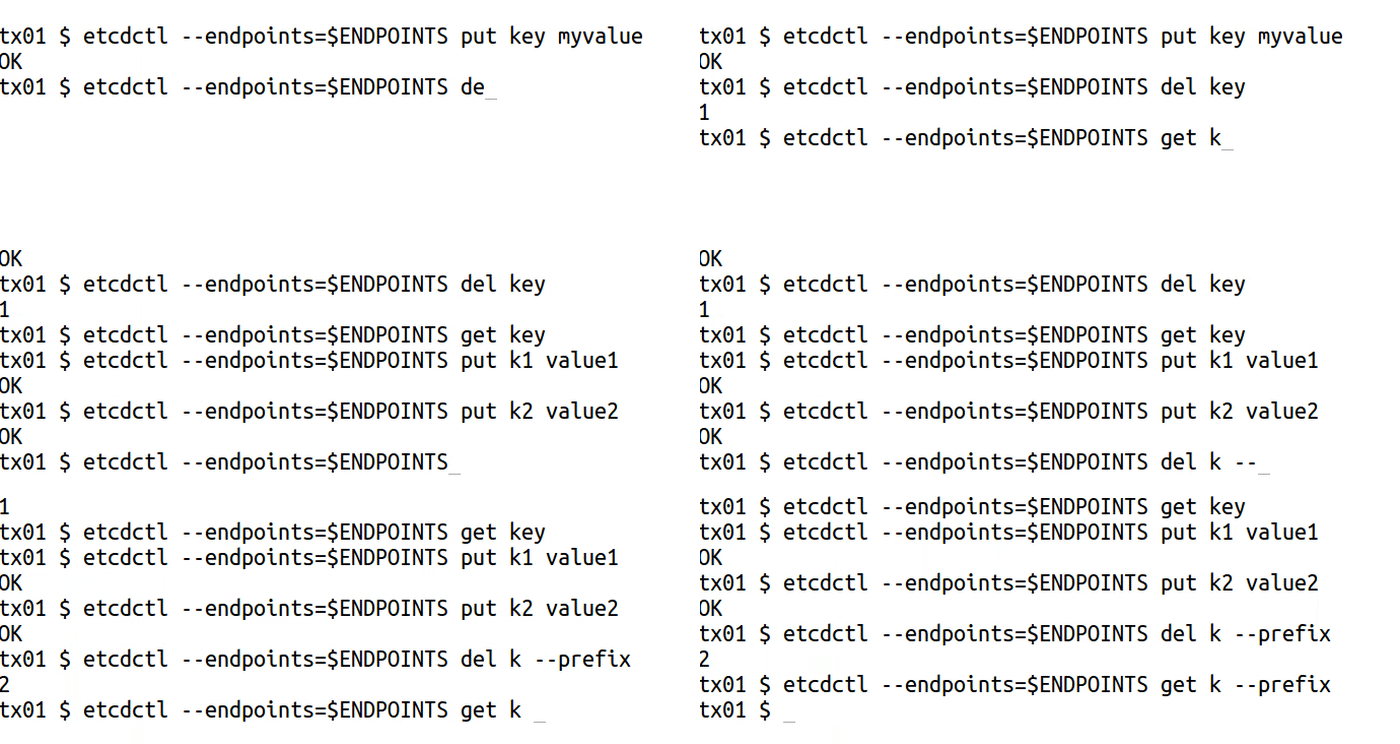
etcdctl --endpoints=$ENDPOINTS put key myvalue
etcdctl --endpoints=$ENDPOINTS del key

etcdctl --endpoints=$ENDPOINTS put k1 value1
etcdctl --endpoints=$ENDPOINTS put k2 value2
etcdctl --endpoints=$ENDPOINTS del k --prefix
-i, --interactive[=false]: interactive mode
--prefix[=false]: watch on a prefix if prefix is set--rev=0: Revision to start watching
--prev-kv[=false]: get the previous key-value pair before the event happens
--progress-notify[=false]: get periodic watch progress notification from server
親コマンドから継承されるオプション
--endpoints="127.0.0.1:2379": gRPC endpoints
例
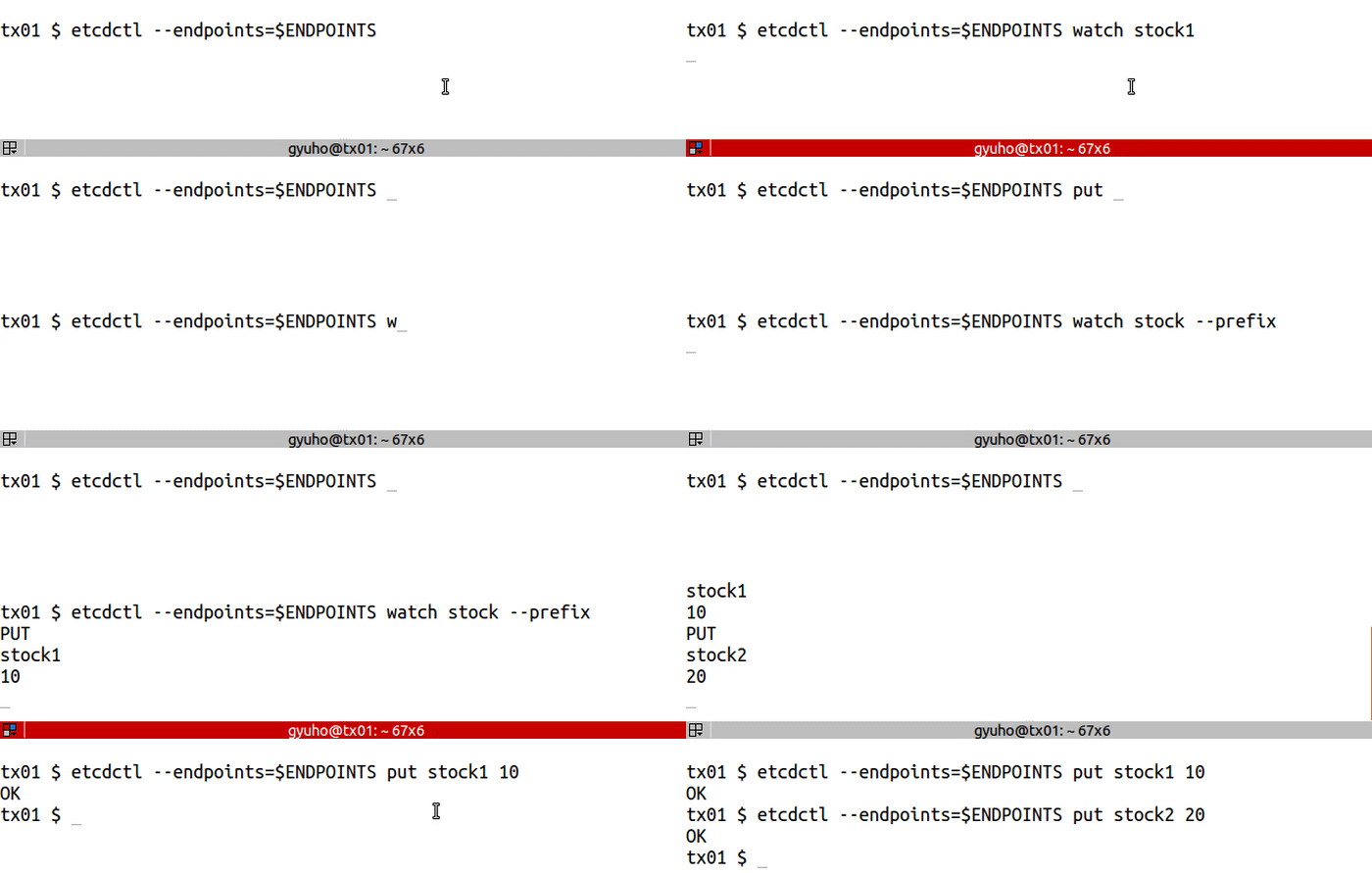
etcdctl --endpoints=$ENDPOINTS watch stock1
etcdctl --endpoints=$ENDPOINTS put stock1 1000etcdctl --endpoints=$ENDPOINTS watch stock --prefix
etcdctl --endpoints=$ENDPOINTS put stock1 10etcdctl --endpoints=$ENDPOINTS put stock2 20
2.7 - リースの作成方法
etcdでリースを作成するためのガイド
TTLを指定した書き込みに使用するlease:
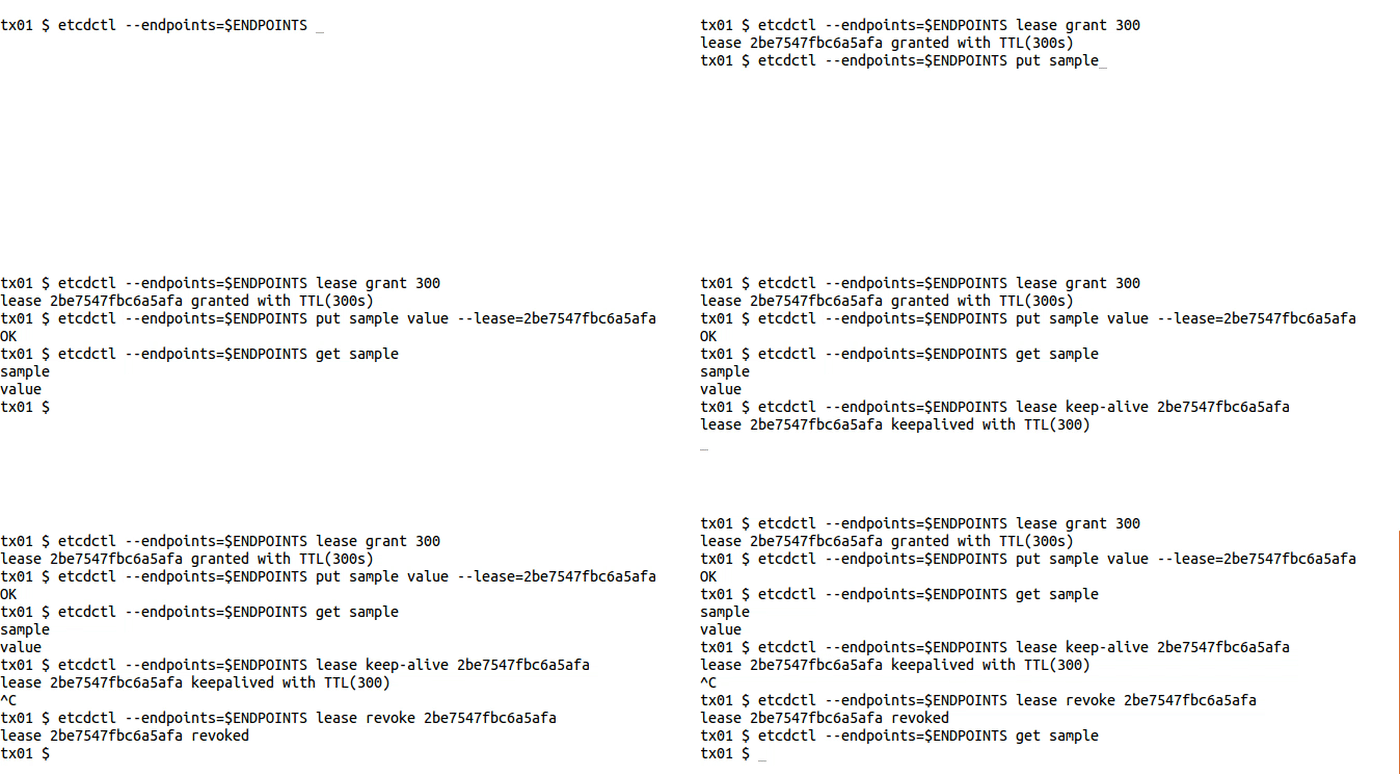
etcdctl --endpoints=$ENDPOINTS lease grant 300# lease 2be7547fbc6a5afa granted with TTL(300s)etcdctl --endpoints=$ENDPOINTS put sample value --lease=2be7547fbc6a5afa
etcdctl --endpoints=$ENDPOINTS get sample
etcdctl --endpoints=$ENDPOINTS lease keep-alive 2be7547fbc6a5afa
etcdctl --endpoints=$ENDPOINTS lease revoke 2be7547fbc6a5afa
# or after 300 secondsetcdctl --endpoints=$ENDPOINTS get sample